
Stealth Digital Nomad: 10 Tips For Working Remotely Without Being Found Out
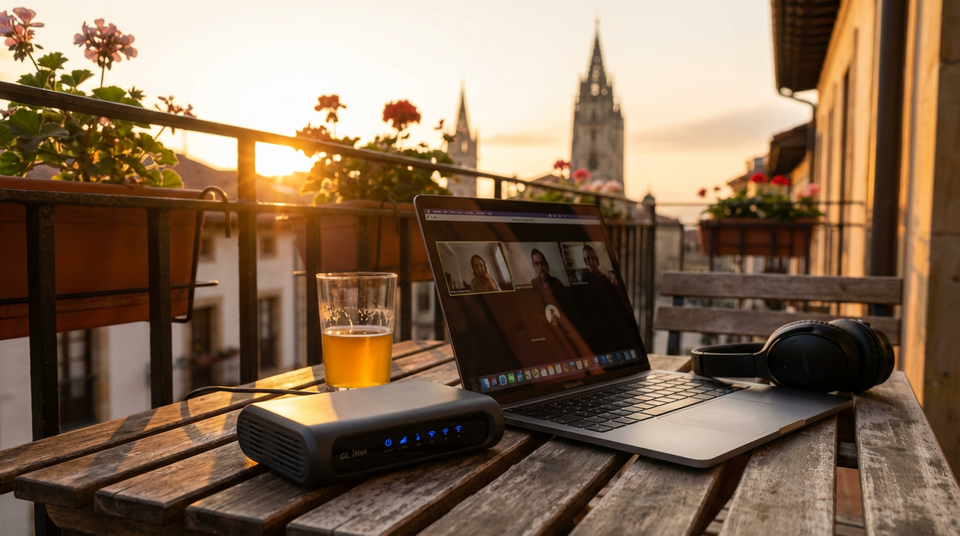
1. Travel Router
Why you need it: A travel router creates a stable, secure network environment wherever you go.
What it does: Devices like GL.iNet routers (which I use) or TP-Link travel routers let you connect to any WiFi (hotel, Airbnb, coworking space) and create your own private network. This means your company’s devices always connect to “your” network. Another benefit is that all of your devices will connect to the routers WiFi automatically, so you won’t need to constantly connect to new networks on all of your devices.
2. The Right VPN
Why you need it: Not all VPNs are created equal, and free/cheap ones will get you caught or create performance issues.
What to look for: You need a VPN with dedicated IPs in your home country, not shared IPs that might be flagged. Services like TorGuard, NordVPN (with dedicated IP addon), or Surfshark with residential IPs work best. Avoid sketchy providers that might leak your real location through DNS, WebRTC, or IPv6.
Critical point: Your VPN must have servers in your “home” city or region, be reliable during work hours, and handle video calls without constant drops. You should test each one extensively before you leave.
3. Remote Desktop Services
Why you need it: Your actual physical computer needs to appear to be in your home country.
How it works: Services like AWS WorkSpaces, Shadow.tech, or dedicated remote desktop providers let you rent a Windows/Mac computer physically located in your home country. You connect to it from abroad and do all your work there. Any IP tracking, geolocation checks, or company monitoring sees that machine in your home country.
Warning: Be extremely careful with company issued phones and laptops that have MDM (Mobile Device Management) software. These can report GPS location, WiFi networks nearby, and timezone data that will contradict your story. Consider leaving company phones at a trusted location at home, or in airplane mode. This can be difficult to do, but there are workarounds like using your own device and foregoing the MDM software if not absolutely required.
4. Physical Address / Virtual Addresses
Why you need it: Mail, packages, official documents, and verification processes don’t stop when you travel.
What works: Virtual mailbox services like Traveling Mailbox, PostScan Mail, USGlobalMail, or Anytime Mailbox scan your mail and forward important items. Pick one in a residential area of your “home” location, not an obvious commercial mailbox facility. Alternatively, you could use a trusted friend or family members address as well, though I would not use this for everything, just for your job.
Key consideration: Some services offer phone answering and can receive packages. Make sure the address is recognized by USPS/carriers and doesn’t show up as a “commercial mail receiving agency” when companies verify it. I chose USGlobalMail because the address in my city looks just like it could be an apartment instead of a suite or PO Box.
5. VOIP Phone Services
Why you need it: Your phone number needs to ring wherever you are, and caller ID needs to show your home country number.
Best options: Google Voice (US only), or dedicated VOIP services that provide local numbers. Set up call forwarding to your international SIM or use the app exclusively.
Pro tip: Test call quality extensively. Choppy calls or weird connection artifacts will raise suspicions. Consider having a backup service in case your primary fails during an important call.
6. Fast Exit Strategy
Why you need it: Emergencies happen. Your boss might demand an in-person meeting with 24 hours notice, or your company might schedule a surprise office day.
What to plan: Know flight routes and times from your location back home. Keep your passport, essential documents, and a go-bag ready. Have cash/credit available for last-minute expensive flights. Consider staying in locations with major international airports and direct flights home.
Reality check: If you’re more than 12–15 hours of total travel time from home, your risk level increases dramatically. Southeast Asia to US East Coast? That’s pushing it unless you have exceptional flexibility and cover stories.
7. Sound/Noise Awareness
Why it matters: Background sounds are rarely thought of and can kill stealthy remote work. Distinct animal sounds, foreign language announcements, or unique ambient noises and sirens will instantly reveal your location, or the fact that you are not in your home country.
What to avoid: Roosters, tropical birds, call to prayer, foreign emergency sirens, distinctly accented conversations in the background.
Solutions: Work from quiet indoor spaces. Use noise-cancelling microphones (Krisp.ai, RTX Voice). Keep video calls muted when not speaking. Consider soundproofing with heavy curtains. Schedule calls during quiet times of day in your location.
8. Consistent Internet Access
Why it’s critical: Dropped connections and inconsistent availability can become an issue especially if you live near others that work for your company. It would be odd that you experience constant drop outs while others never do.
Best options: Starlink is becoming viable in many locations and provides consistent speeds, but the latency pattern is recognizable to tech-savvy IT departments, though this can be mitigated by using a quality VPN as previously mentioned. Quality fiber internet in your accommodation is ideal. Cellular modems (with local SIMs) can work as a backup.
Strategy: Always have two independent internet sources. When one fails during a video call, you need instant failover. Test your setup with large file transfers and video calls before you go.
9. Timezone Considerations
Why this is a dealbreaker for many: If you’re in Southeast Asia while “working” from New York, you’re working 10pm-6am local time. Every. Single. Day.
Reality check: Can you maintain this schedule for months? Will you become noticeably tired, make mistakes, or have reduced performance? Missing the social outings and lifestyle you were looking for because you’re sleeping all day?
Decision framework: 1–3 hour timezone differences are manageable. 4–6 hours is challenging but doable for a few months. 8+ hours is difficult and unsustainable for most people. Consider working from locations with minimal timezone differences first. Working from Europe which is 6 hours difference means that you will be able to enjoy most of the day exploring, and will have to start work at around 4pm if you’re from the Eastern or Central US. This is ok if you don’t mind losing night time outings during the week.
10. Role and Representation Considerations
Why this matters: The biggest risk isn’t technology, it’s accidentally revealing yourself through business activities.
What to avoid:
- Client-facing meetings where your location could come up
- Representing your company at events or conferences
- LinkedIn posts or social media that show your location
- Accidentally shipping documents/products from your actual location
- Credit card transactions on company cards showing foreign merchants
- Expense reports that don’t align with your supposed location
Golden rule: Keep your work 100% tied to your “home” location. If your role requires you to physically represent the company anywhere, stealth remote work becomes much riskier. Consider if the stress and risk is worth it for your specific role.
Final thoughts: This lifestyle requires constant vigilance, technical competence, and honestly, a bit of stress. Make sure the benefits of slow travel outweigh the mental overhead of maintaining the illusion and the potential career consequences if discovered. My recommendation is to save as much money as possible until you have 6+ months of living and travel expenses in liquid funds. If you are found out, your only recourse is to accept the consequences, but do not regret your decisions. The world is big and I truly believe that, for some of us, the risk is worth it.
Tools & Resources
I’ve spent two years testing these tools with real money and real consequences. Here’s my actual setup. Most of these are affiliate links that help support my work, but they do not cost you anything extra.
Network & Security
- GL.iNet Travel Router — The exact model I’ve carried through several countries already
- SurfShark VPN — Dedicated IP option is critical
- Krisp.ai — For noise cancellation on calls
Virtual Services
- USGlobalMail — My virtual mailbox since 2023
- Hushed: US Second Phone Number — For US-based VOIP
Internet Backup
- Starlink — For locations without reliable fiber
- Local 4G/5G hotspot — Research options in your destination
Current Tech I Use
Laptop
- 13” Macbook Air M4 — Extremely easy to travel with and weighs almost nothing.
Phone
- OnePlus 13 — The battery life is great, it is water proof, and I can charge it super fast in a pinch. It comes with an 80+ watt charger that makes last minute charging possible.
Watch
- Garmin Fenix 8 Solar — 2 to 4 week battery life, GPS, and a phenomenal fitness tracker. I left Apple watches long ago because of the battery life, and found out that Garmin was just better for me.